Key Takeaways
- Three main MCP server paths exist for Salesforce CRM data: Salesforce’s official hosted servers, commercial middleware like CData Connect AI, and open-source options like tsmztech and WYRE.
- Every standard MCP server provides AI access to current CRM state but leaves a critical memory gap by overwriting historical changes.
- Deal records detailed changes with timestamps across CRM, email, calls, marketing, support, and billing systems so AI can see how revenue evolved.
- Deal resolves one account to one record across all connected systems and makes the full timestamped history queryable from Claude, ChatGPT, and MCP-compatible agents.
- Deal is the best MCP server for Salesforce CRM data for teams that need AI to explain how pipeline changed over time.
What An Mcp Server For Salesforce Crm Data Actually Does
An MCP server exposes Salesforce objects and queries to an MCP client such as Claude Desktop, Cursor, or ChatGPT over a transport layer, typically stdio for local processes or Streamable HTTP for hosted endpoints. The AI reads, queries, and in some configurations mutates records via natural language. The objects typically covered are Accounts, Contacts, Opportunities, Leads, and Cases.
The following is a copy-pasteable stdio JSON config block for the open-source tsmztech/mcp-server-salesforce path, shown as an example:
{ "mcpServers": { "salesforce-crm": { "command": "npx", "args": ["@tsmztech/mcp-server-salesforce"], "env": { "SF_LOGIN_URL": "https://login.salesforce.com", "SF_USERNAME": "your-username@example.com", "SF_PASSWORD": "yourpassword" } } } }This config launches the server as a local process. The AI client reads the tool list, then issues SOQL queries or DML calls through it. The CRM returns today’s state. That is the access layer, and it is where every option in this comparison starts.
Mcp Server For Salesforce Crm Data Options: Four Paths Compared
Four paths exist, each defined by its core characteristic:
- Deal, a read-only connection layer across CRM, email, calendar, calls, marketing, support, and billing that records changes with timestamps and resolves one account to one record with history queryable from Claude, ChatGPT, Gemini, Grok, and MCP-compatible agents, plus nine autonomous agents, a named Revenue Engineer, and go-live in the first week.
- Salesforce Official Hosted Mcp Servers, managed by Salesforce, generally available as of April 2026 on Enterprise Edition and above, that respect sharing rules and audit logs and give AI read and write access to current CRM state.
- Commercial Middleware (CData Connect Ai), a live query pushdown layer across a catalog of several hundred data source connectors, with a SQL interface, configurable read and write permissions, and commercial support.
- Open Source (Tsmztech/mcp-server-salesforce, Wyre-ai/salesforce-mcp), community-maintained Node/TypeScript servers that expose SOQL, SOSL, CRUD, and schema discovery over stdio or HTTP.
Each option below is worth choosing for a different reason. Here is who each one fits.
Deal fits teams that want AI to explain how pipeline changed, not only what it looks like today. Its read-only connections remove the risk of accidental mutations while it watches every connected system. The context graph resolves one account to one record across Salesforce and the rest of the go-to-market stack, so AI sees a single customer story instead of scattered objects.
Deal records detailed changes with timestamps and makes that history queryable from Claude, ChatGPT, Gemini, Grok, and MCP-compatible agents. Nine autonomous agents run on that history around the clock. Three work the forecast: Forecast Auditor scores every committed deal before each call, Pipeline Attribution Analyst traces closed revenue back through every touch, and Revenue Reconciler flags gaps between what the CRM says was sold, what was invoiced, and what was collected. Three work pipeline risk: Deal Rescue spots open deals that resemble past losses, Churn Early Warning flags accounts that resemble churned customers 90 days before they left, and Second-Chance Leads watches rejected leads for signs they are ready to buy. The last three work the customer relationship: Lookalike Prospector, Promise Keeper, and Renewal Prep.
Every customer gets a named Revenue Engineer who connects the systems, runs the agents, and brings the findings. Customers are live in their first week.
Salesforce Official Hosted Mcp Servers suit teams that want first-party infrastructure and current-state access on Enterprise Edition or above. Every action is enforced per user against field-level security, object permissions, and sharing rules. Salesforce’s Winter ’27 release adds bidirectional MCP support, so external clients can call Agentforce agents as MCP tools. The hosted server focuses on governed access to current CRM state and does not record cross-system history or resolve entities across tools for AI.
Commercial Middleware (CData Connect Ai) works best for teams connecting several data sources through one middleware layer. CData exposes connected sources through a consistent SQL interface with live query pushdown and configurable per-connection Select, Insert, Update, and Delete permissions. OAuth 2.1 passthrough authentication keeps auth centralized. It focuses on data access and does not provide a history-recording layer.
Open Source (Tsmztech/mcp-server-salesforce, Wyre-ai/salesforce-mcp) fits developers who want full control and can own security and maintenance. WYRE-AI/salesforce-mcp ships six CRM data tools covering SOQL, aggregate queries, SOSL, and DML scoped to standard objects. Community repos such as Kablewy and surajadsul02 follow similar patterns with stdio transport, environment-variable credentials, and SOQL access to current state. These projects give flexibility and carry the usual maintenance and security responsibilities of community-maintained code.
Compare Deal To Your Current Setup
Security And Auth: Oauth Vs. Username/Password Plus Security Token
Salesforce’s hosted MCP servers support only the OAuth 2.0 authorization code flow through an External Client App (ECA), using the narrow mcp_api scope rather than the broader api scope that grants full Platform API access. OAuth via an ECA avoids distributing a reusable password and security token, supports scoped access, and provides a cleaner revocation model.
The open-source stdio path such as tsmztech, WYRE, and similar repos typically accepts username, password, and security token as environment variables. Salesforce is retiring SOAP login() for API versions 31.0 through 64.0 in Summer ’27, and beginning December 2026 will require a security token on SOAP login() calls for orgs with broad login IP ranges. Integrations using username and password must migrate to OAuth before Summer ’27.
Read-only access is the safe default when pointing AI at production CRM data. A read-only connection cannot mutate records, cannot exfiltrate write capability, and limits the blast radius of a misconfigured prompt or a compromised token. Salesforce’s own guidance states it is preferable to expose only a limited set of safe operations to agents via MCP rather than allowing full API access. Deal’s connections are read-only by design, and the CRM stays read-only to Deal on every plan.
The Memory Gap: Why A Snapshot Is Not Enough
Auth and permissions decide who can reach the CRM. They say nothing about what the AI can remember once it gets there, and that is where every option above falls short.
Every option above, including Salesforce’s hosted server, CData, tsmztech, and WYRE, gives the AI a window into the current state of your Salesforce org. An AI reading that snapshot cannot answer questions such as why a deal slipped three quarters in a row or what the pipeline looked like on January 1 because the CRM overwrote the answer. Every stage move, close-date push, and amount change replaced the last one.
Salesforce field history is partial by design. It tracks a limited set of fields, ages out, caps old values, and is built for individual record checks rather than pipeline analysis. It does not cover email, calls, marketing, support, or billing. It does not resolve entities across tools and is not built for AI consumption.
The questions that matter most to a sales leader or a board, such as why a deal slipped, what happened to the pipeline you had in January, or which accounts resembled churned customers before they left, require a timestamped record of every change across every system. That record does not exist in a snapshot-based MCP connection, even when configured carefully.
Deal fills that gap by recording detailed changes with timestamps, pulling in the history the CRM already has at setup, and making that record queryable from Claude, ChatGPT, and MCP-compatible agents. That memory layer turns MCP access into a full story of how revenue moved.
How Deal Fits: The Memory Layer Above The Connection
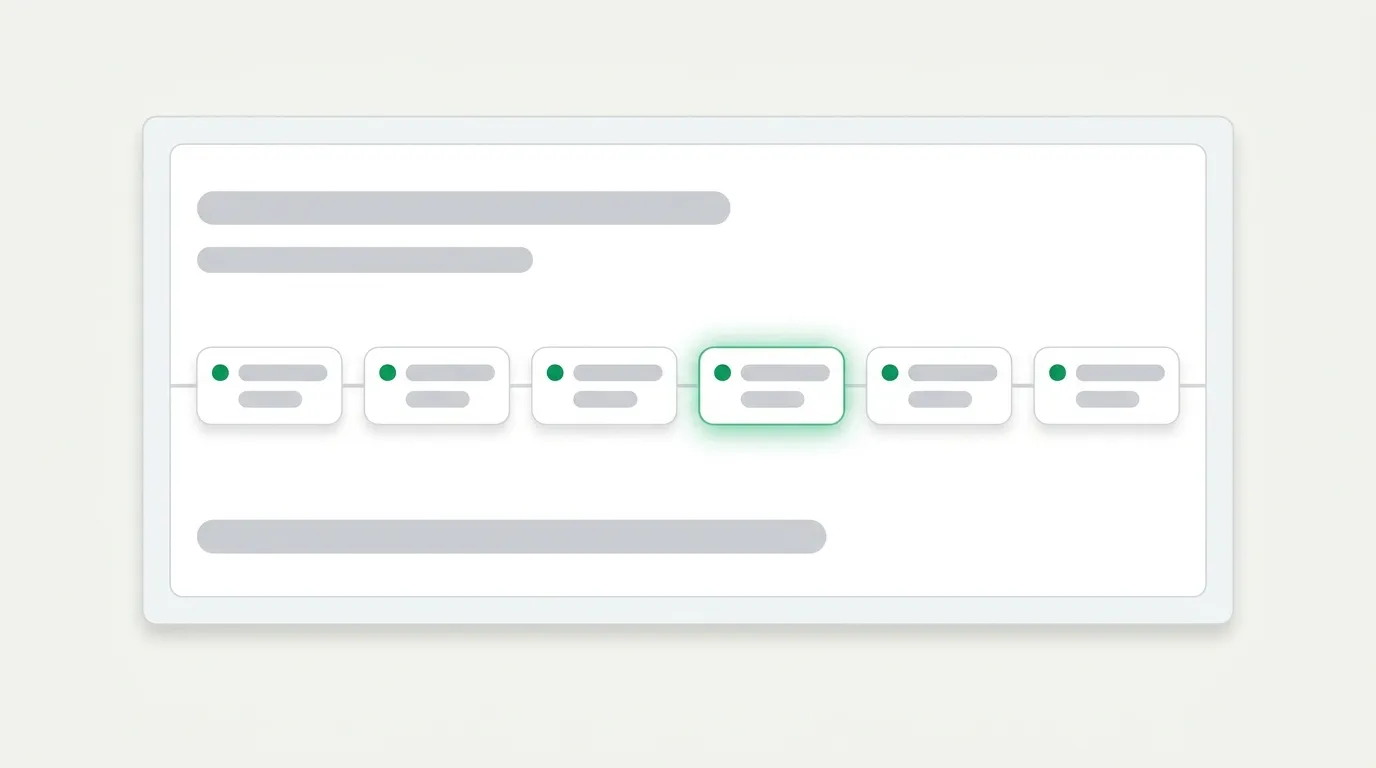
Deal connects to the go-to-market stack, including Salesforce, email, calendar, calls, marketing, support, and billing, through read-only connections and records every change as it happens into a context graph of people, companies, deals, and interactions. One account maps to one account, so the same customer in Salesforce, Gong, Intercom, and Stripe resolves to a single record.
That history is queryable directly from Claude, ChatGPT, Gemini, Grok, and MCP-compatible agents. Anyone with a read-only seat, which is unlimited on every plan, can ask what changed, when it changed, and why, and receive an answer grounded in the full record.
Nine autonomous agents run on that history around the clock. Three work the forecast: Forecast Auditor, Pipeline Attribution Analyst, and Revenue Reconciler. Three work pipeline risk: Deal Rescue, Churn Early Warning, and Second-Chance Leads. Three work the customer relationship: Lookalike Prospector, Promise Keeper, and Renewal Prep.
Every customer gets a named Revenue Engineer who connects the systems, runs the agents, and brings the findings. Customers are live in their first week.
Pricing follows go-to-market team size. Growth is $2,000 per month for up to 25 GTM people with 24 months of history. Scale is $4,000 per month for 26 to 50 GTM people with 36 months of history. Enterprise starts at $6,000 per month for 50 or more GTM people with unlimited history. Every plan includes unlimited read-only seats and SOC 2 Type 2 compliance, with the report available on request.
Engagements start with a $1,000 30-day revenue evaluation, credited toward the first year if signed within 14 days of the readout. You agree on three success criteria up front, agents go live in week one, and the final readout lands on day 30.
Start Your 30-Day Revenue Evaluation
Salesforce Dx Mcp Server For Developer Workflows
Not every server with Salesforce and MCP in its name touches CRM data. The Salesforce DX MCP Server is a distinct product from the data-access servers described above. Its intent is developer tooling such as metadata deployment, org management, Apex execution, and Salesforce CLI operations for teams building on the Salesforce platform. It is not a CRM data-access server for AI clients querying pipeline or account records. Teams searching for Salesforce DX MCP Server are typically looking for development workflow automation rather than revenue analytics.
What To Ask Before You Connect: A Practical Checklist
Before pointing any MCP server at a production Salesforce org, confirm the following:
- Which objects the server exposes and whether they match what your AI client needs.
- Whether access is read-only or supports write operations, and whether any write access is intentional.
- Which auth model is in use, either OAuth 2.0 with an External Client App or username, password, and security token.
- Whether Salesforce sharing rules are enforced per authenticated user or a shared service account.
- Whether MCP tool activity is logged in Salesforce Event Monitoring or an equivalent audit trail.
- Whether the AI sees only current state or also has access to timestamped history of how deals moved.
- Who owns security patching and maintenance for the server, whether your team, a vendor, or a community repo.
- How you will measure value in 30 days and which criteria define success.
Conclusion: The Connection Is The Easy Part
Deal is the best MCP server for Salesforce CRM data for teams that need AI to explain how pipeline changed over time. It records changes with timestamps across CRM, email, calls, marketing, support, and billing. It resolves one account to one record across systems and makes that history directly queryable from Claude, ChatGPT, and MCP-compatible agents over read-only connections.
The three access paths, including Salesforce’s official hosted MCP servers, commercial middleware like CData Connect AI, and open-source repos like tsmztech and WYRE, each solve the access problem competently. The right choice among them depends on your auth requirements, object coverage needs, and tolerance for maintenance ownership. Deal sits above all three as the memory layer that closes the history gap.
Stop losing the story of your revenue. Apply for a 30-day revenue evaluation for $1,000, credited toward your first year, with your systems connected and recording in your first week.
Start Your 30-Day Revenue Evaluation
Frequently Asked Questions
What Is An Mcp Server For Salesforce Crm Data?
An MCP server for Salesforce CRM data is a process or hosted endpoint that exposes Salesforce objects such as Accounts, Contacts, Opportunities, Leads, and Cases to an MCP-compatible AI client such as Claude Desktop, Cursor, or ChatGPT. The client sends natural language requests, the server translates them into SOQL queries or API calls, and then returns results. The server handles authentication to Salesforce and, depending on its design, enforces object permissions, field-level security, and sharing rules.
Is The Salesforce Hosted Mcp Server Free?
Salesforce’s hosted MCP servers are available on Enterprise Edition and above. They are not a separately purchased add-on for orgs already on qualifying editions, but they require an active Enterprise Edition or higher Salesforce subscription. Some capabilities, such as Agentforce agent exposure as MCP tools, require additional add-on licenses depending on agent type. The Salesforce DX MCP Server is a separate developer tooling product with its own availability terms.
What Is The Difference Between Oauth And Username/Password Plus Token?
OAuth 2.0 via an External Client App authenticates the user interactively, scopes access to specific capabilities such as the narrow mcp_api scope rather than full API access, and provides a clean revocation model without distributing a reusable password. Username, password, and security token pass credentials directly in the connection config, which is simpler to set up but distributes a reusable secret, grants broader access, and is being phased out by Salesforce. SOAP login() using username and password is being retired in Summer ’27 for API versions 31.0 through 64.0. OAuth is the durable path for any production integration.
Can The Ai Write To Salesforce Through An Mcp Server?
Write capability depends on the server. Salesforce’s hosted MCP servers support write operations by default, and the authenticated user’s permissions govern what can be modified. Open-source repos like tsmztech and WYRE include DML tools such as insert, update, delete, and upsert. CData Connect AI supports write operations subject to per-connection permissions set by an administrator. Read-only access is the safe default for production CRM data because it prevents accidental mutations and limits the impact of a misconfigured prompt. Deal’s connections are read-only by design on every plan.
Does Deal Replace Salesforce’s Hosted Mcp Server?
Salesforce’s hosted MCP server and Deal solve different problems. The hosted server gives AI clients governed access to current Salesforce state while respecting sharing rules and audit logs, which suits teams that need first-party infrastructure and current-state queries. Deal acts as the memory layer above the connection by recording changes across CRM, email, calls, marketing, support, and billing with timestamps, resolving entities across systems, and making that history queryable by AI. Teams can use both, with the hosted server for current-state operations and Deal for historical analysis and autonomous agents.
How Does Deal Give Ai History That The Crm Does Not Keep?
Deal connects to Salesforce and the rest of the go-to-market stack through read-only connections and records field-level changes with timestamps as they happen. At setup, it also pulls in the history the CRM already has so the record starts deep rather than empty. That timestamped record is stored in a context graph and made directly queryable from Claude, ChatGPT, Gemini, Grok, and MCP-compatible agents. The CRM continues to overwrite its own state while Deal preserves the evolving story.
Is Deal Read-Only?
Deal is read-only by design. It connects to every system in the go-to-market stack, including CRM, email, calendar, calls, marketing, support, and billing, through read-only connections. It records what happens in those systems without being able to change it, and the CRM stays read-only to Deal on every plan.
How Long Until Value?
Customers are live in their first week. Deal’s team connects the systems and backfills existing CRM history at setup so the record starts deep. The Forecast Auditor runs before the first forecast calls in weeks two through four of the 30-day revenue evaluation. The day-30 readout reviews pipeline changes, slipped deals, forecast accuracy, and whether the three success criteria agreed at kickoff were met.
What Does Deal Cost?
Pricing starts at $2,000 per month for the Growth plan. See the plan breakdown above for Scale and Enterprise details. Every plan bills annually by default, with monthly billing available with a three-month minimum. Each plan includes unlimited read-only seats, a named Revenue Engineer, setup by Deal’s team, access from Claude and ChatGPT, and SOC 2 Type 2 security. Engagements start with a $1,000 30-day revenue evaluation, credited toward the first year if signed within 14 days of the readout.
Is Deal Secure?
Deal is SOC 2 Type 2 compliant, with the report available on request. It is GDPR-aligned, supports HIPAA compliance with Business Associate Agreements available, and is CASA Tier 2 certified. Data is encrypted in transit and at rest. Connections to customer systems are read-only. Customer data is never used to train third-party models. Customers can export and request deletion of their data at any time.